Innovation on a Budget: Navigating the RBTX Marketplace for Automation Products Published Date June 26, 2024 January 29, 2026 Author Eddy Eacueo
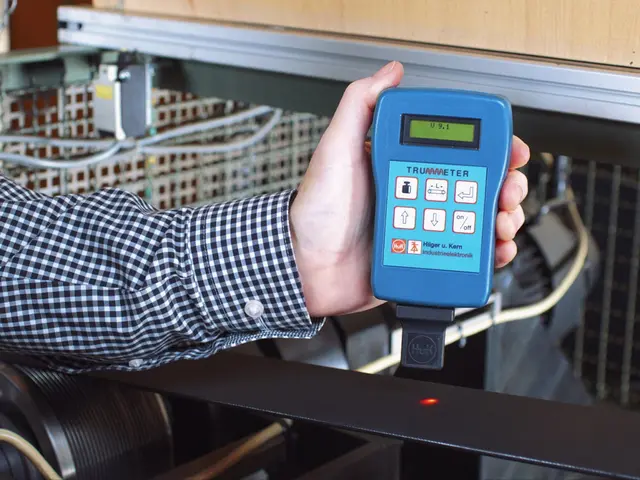
7 days ago How to measure belt tension: three methods and when to use each Incorrect belt tension wears belts and destroys bearings. Compare hand, force-deflection, and sonic belt tension meter methods — and when to check. Read Article
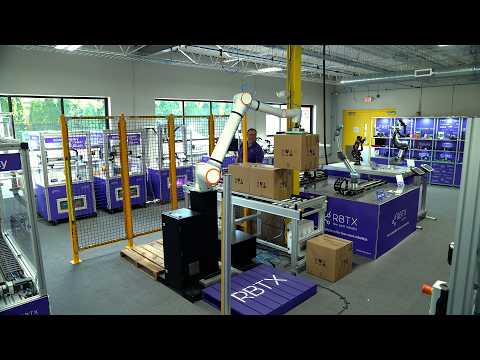
21 days ago Set Up a Robot Palletizer Without Any Coding Book a live demo: https://rbtx.com/en-US/rbtxpert Visit the RBTX Marketplace: https://rbtx.com/en-US Most palletizing projects stall on the same problem: automation means hiring a robot programmer. The RBTX Palletizer removes that step entirely — you don\'t program it, you configure it. This walkthrough covers the full setup process, from the operator panel to the configuration screens behind it. What you can configure without writing code: Multiple saved recipes for different products and runs Box definitions for any size you\'re handling Single pallet, dual pallet, or bypass conveyor operation Layer-by-layer stack patterns built exactly how you want them Guided pose teaching using jog and teach buttons on the end-of-arm tool Teaching positions stays simple because the system does the math for you. You set a home pose, a pick pose, and one place reference per side — one pallet means one reference, two pallets means two. From there, the system automatically calculates every position in the stack based on how you built your layers. Configuration also sits behind a password wall, so only authorized personnel can change how the system runs, while day-to-day operators keep a clean panel with recipe selection, enable/disable, auto/manual mode, manual gripper trigger, and live status indicators. Timestamps 0:00 Why you don\'t need to program this palletizer 0:17 The operator panel: recipes, modes, and status 0:37 Getting into the configuration menu 1:00 Building boxes, sides, and stack layers 1:24 Teaching poses with the jog and teach buttons 1:47 One place reference per side — the system does the rest 2:15 Settings and controls 2:24 Book a live demo with an RBTX expert #palletizing #palletizer #industrialautomation #automation #robotics #nocode #rbtx Watch Video
21 days ago Palletizer Safety Demo: Light Curtain and Hard Guarding Book a live demo: https://rbtx.com/en-US/rbtxpert Visit the RBTX Marketplace: https://rbtx.com/en-US Nobody wants to find out the hard way what a palletizing robot does when a person walks into its work envelope. Here\'s exactly what happens. This demonstration walks through the safety system on the RBTX palletizer, available in two configurations: hard guarding paired with a light curtain, or an array of area scanners covering the perimeter of the robot\'s working area. In this video we trigger the light curtain option. What you\'ll see: On startup, the robot returns to home position at a reduced safe speed before entering full-speed operation — no unexpected fast motion on power-up. When the light curtain is broken mid-cycle, the robot pauses immediately and the HMI displays "Safety stopped. Clear the area and press resume." Restarting is deliberately manual. The system will not resume on its own once the beam is clear, and the resume button only illuminates after the area is confirmed clear — so a person still inside the cell can\'t be surprised by a robot that decides it\'s safe to move again. Press resume and the robot picks up exactly where it left off, so a safety stop doesn\'t cost you the cycle. Safety requirements vary by application, layout, and local regulation. Book a free appointment with an RBTX expert to work out the right palletizing configuration — and the right guarding approach — for your facility. 0:00 Two Safety Options: Guarding or Area Scanners 0:21 Startup: Safe-Speed Return to Home 0:35 Triggering the Light Curtain 0:45 "Safety Stopped" — Why It Won\'t Auto-Restart 0:55 Resuming Exactly Where It Left Off 1:10 Full Cycle Demonstration 2:22 Book a Free Palletizing Consultation #palletizer #palletizing #robotsafety #industrialrobots #lightcurtain #machinesafety #automation #rbtx Watch Video